Introduction
The Google Play Store is fiercely competitive - over 3.5 million apps, all vying for the same user attention. For indie developers, the difference between a successful launch and being buried in search results often comes down to one thing: how well your app's visuals communicate its value.
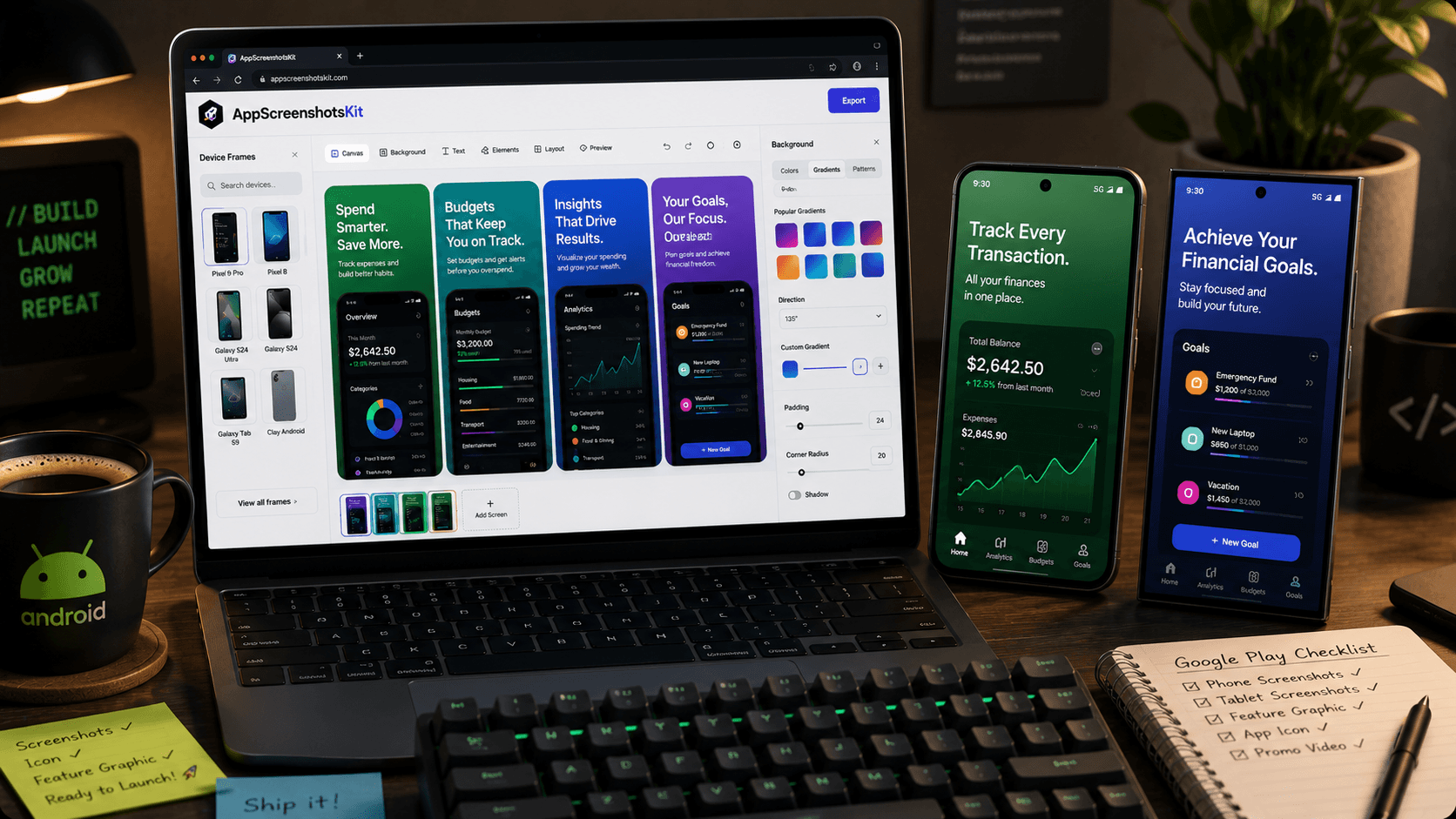
AppScreenshotsKit gives Android developers the same professional-grade screenshot creation tools that iOS developers have relied on - with full Google Play specification support built in.
Google Play Screenshot Requirements - Simplified
Google Play has specific requirements that many developers struggle to meet:
- Phone screenshots: 1080×1920 px minimum (16:9 or 9:16 ratio)
- Tablet screenshots: 1200×1920 px or 1920×1200 px
- Feature graphic: 1024×500 px (displayed above video in listing)
- Minimum 2 screenshots required, up to 8 allowed
- JPEG or 24-bit PNG, maximum 8MB each
- No device frames required but strongly recommended
AppScreenshotsKit Auto-Exports Correct Sizes
Select Google Play as your export target and AppScreenshotsKit automatically generates screenshots in all required dimensions - phone, tablet, and feature graphic - in a single click.
Android Device Frames Available
- Google Pixel 9 Pro - in Obsidian, Porcelain, Hazel, Rose Quartz
- Google Pixel 8 - multiple colorways
- Samsung Galaxy S24 Ultra - Titanium Black and White
- Samsung Galaxy S24 - compact form factor
- Samsung Galaxy Tab S9 - tablet frame
- Clay Android phone - minimalist, universal
- Clay Android tablet - for tablet screenshots
Speed Workflow for Indie Android Developers
Here's how most indie developers use AppScreenshotsKit:
- Upload 3–5 raw app screenshots from Android Studio or device
- Select Android device frame (Pixel or Samsung)
- Apply a background - gradient recommended for visual impact
- Add a single-line headline per screenshot (Google Fonts)
- Switch to multi-device layout for comparative shots
- Export all sizes - phone + tablet + feature graphic
- Upload to Google Play Console - done
Feature Graphic: The Most Underused Google Play Asset
The feature graphic (1024×500 px) appears prominently in your Google Play listing when you have a promo video - but many developers either skip it or use a low-quality image. A well-designed feature graphic can significantly increase click-through from search results.
AppScreenshotsKit includes a feature graphic template with your app name, a headline, and a device mockup pre-sized to 1024×500 px. One click, ready to upload.
Conclusion
Google Play rewards apps with great visuals - in editorial featuring, in search ranking signals, and most importantly in user conversions. AppScreenshotsKit puts professional Android screenshot creation within reach of every indie developer, regardless of design budget or experience.
Create Google Play screenshots for free - AppScreenshotsKit.com
Open Editor Free