Introduction
The gap between a great app and a successful app listing is often just the visual presentation. Developers spend months perfecting their product, then spend 30 minutes rushing their App Store screenshots the night before launch. The result is a disconnect that hurts conversions.
AppScreenshotsKit is designed to close that gap - with a workflow so fast and intuitive that professional-quality screenshots stop being a project and start being a 10-minute task.
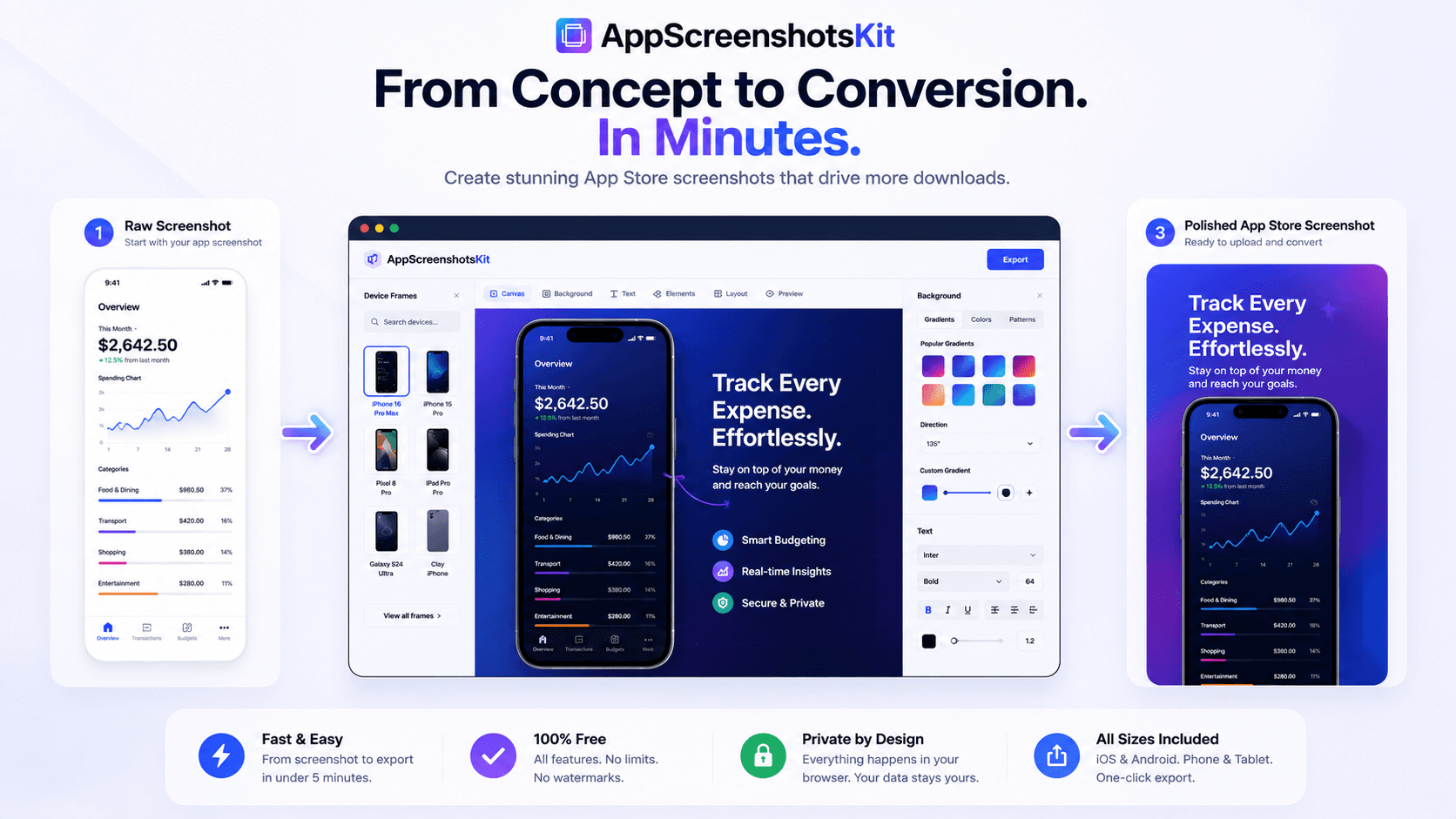
The 6-Step AppScreenshotsKit Workflow
- Step 1: Upload - drag your raw screenshots directly into the browser
- Step 2: Frame - choose from 30+ device frames with one click
- Step 3: Background - select gradient, solid, pattern, or custom image
- Step 4: Text - add a headline overlay using Google Fonts
- Step 5: Layout - arrange single, dual, or panoramic multi-device view
- Step 6: Export - download in all required App Store / Google Play sizes
Why Most Screenshot Workflows Break Down
Traditional screenshot workflows involve Figma or Photoshop templates (requiring design skills), device frame asset downloads (requiring asset management), and manual resizing for each export size (requiring time and technical knowledge).
Each step is a point of friction. For indie developers with limited time, that friction means screenshots get deprioritized - or outsourced at cost.
Designing for Conversion, Not Just Aesthetics
- Lead with the benefit in your headline, not the feature name
- Show the UI in context - real use cases, not empty states
- Use consistent visual language across all 5–8 screenshots
- Make screenshot 1 your strongest value proposition
- Use screenshots 2–4 to handle common objections
- Save screenshot 5–8 for social proof and secondary features
Conversion-First Screenshot Strategy
Your App Store screenshots are a sales sequence, not a feature tour. AppScreenshotsKit's template library includes layouts specifically designed around conversion psychology - headline first, benefit focused, objection handling.
Iteration Speed: The Real Competitive Advantage
The fastest path to great screenshots isn't getting it perfect on the first try - it's being able to iterate rapidly based on real data. AppScreenshotsKit's instant preview and one-click re-export means you can test a new background, headline, or device frame in under 60 seconds.
That speed of iteration is what separates apps that continuously improve their conversion rates from apps that launch with one set of screenshots and never touch them again.
Conclusion
From your first screenshot upload to final export, AppScreenshotsKit is designed to make the entire process fast, intuitive, and professional - regardless of your design background. The concept is simple: your app deserves great visuals, and creating them shouldn't require a design degree or a $50/month subscription.
Simplify your screenshot workflow today - AppScreenshotsKit.com