Introduction
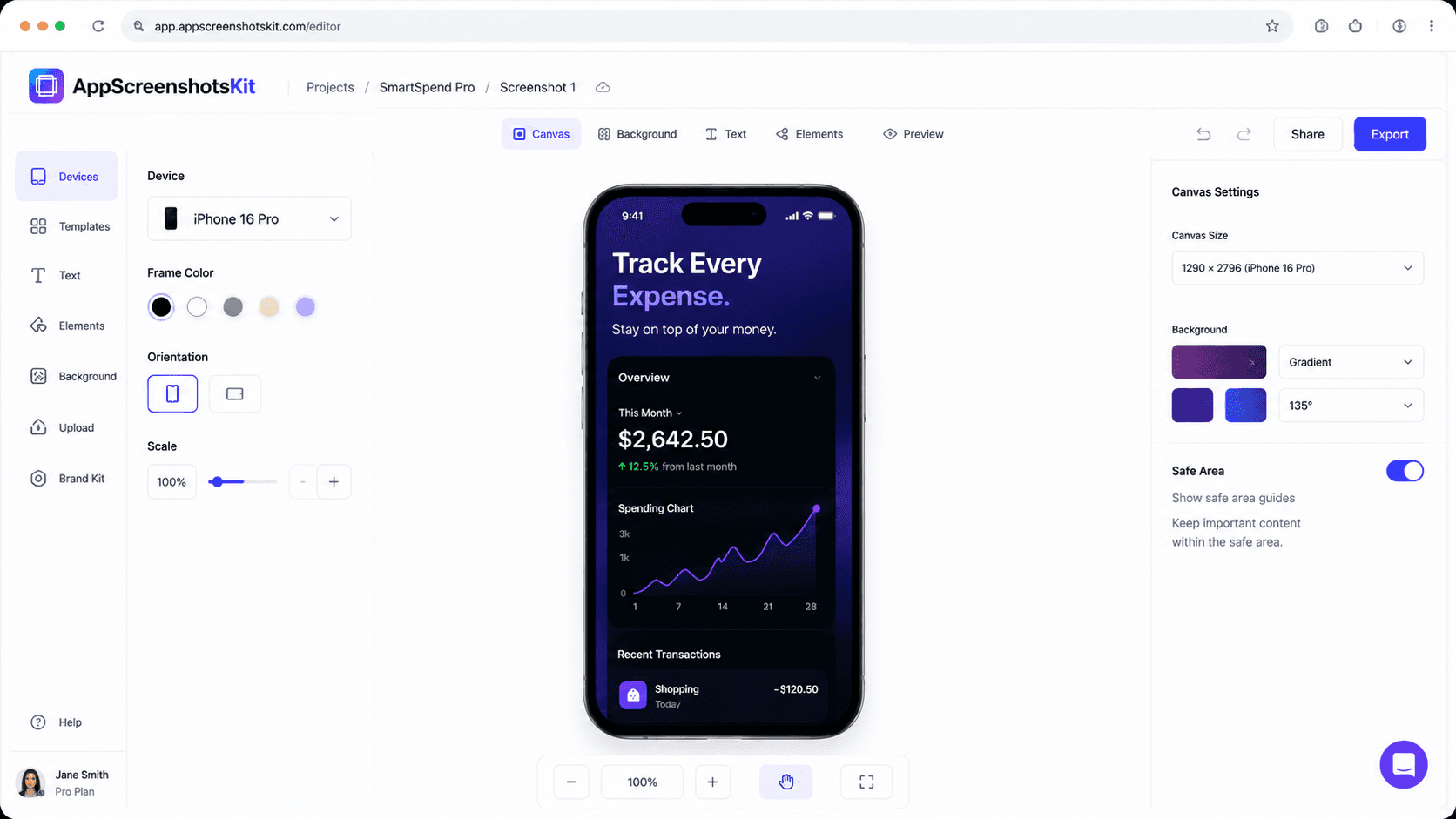
The best design tools don't make you think about the tool - they make you think about the work. AppScreenshotsKit's browser-based interface is built on this principle: maximum creative output, minimum cognitive overhead.
You open it. You see a canvas. You start creating. There's no onboarding flow, no feature tour, no tutorial required.
Interface Design Principles Behind AppScreenshotsKit
- Progressive disclosure - only show controls relevant to current task
- Single-column workflow - upload, frame, background, text, export flows top to bottom
- Live preview - all changes visible instantly, no apply/render cycle
- Keyboard shortcuts - power users never need to leave the keyboard
- Responsive layout - works on laptop, desktop, and tablet screens
- No popups, no upsells, no ads - the interface is the interface, nothing else
Browser-Based: The Advantages Over Native Apps
Feature
| AppScreenshotsKit | Paid Tools | Installation required |
|---|---|---|
| Never ✓ | Always ✗ | Cross-platform (Mac/Win/Linux) |
| Yes ✓ | Usually not ✗ | Auto-updates |
| Yes (always current) ✓ | Manual or auto ✗ | Startup time |
| Instant ✓ | 5-30 seconds ✗ | Storage used on device |
| Zero ✓ | 100MB–2GB ✗ | Works on Chromebook |
| Yes ✓ | Rarely ✗ | The Zero-Friction Onboarding Experience |
- Type AppScreenshotsKit.com in your browser
- Canvas loads - drag your screenshot onto it
- Start creating - no tutorial needed
Performance: How Fast Is 'Instant'?
'Client-side' processing means everything runs on your device's hardware. A modern laptop or desktop processes AppScreenshotsKit's canvas operations in under 16 milliseconds per frame - faster than your eye can perceive as lag. The result is an interface that feels native, responsive, and alive.
Built on Modern Web Standards
AppScreenshotsKit uses the HTML5 Canvas API and WebGL for rendering, Web Workers for background processing, and the File System Access API for export. These aren't workarounds - they're the same technologies powering Figma's browser-based interface.
Conclusion
Elegance in software isn't about aesthetics - it's about how efficiently the tool disappears when you're using it. AppScreenshotsKit's browser-based interface is designed to disappear, leaving you alone with your creativity and your app screenshots.
Open the browser. Create something great.
Experience effortless screenshot design in your browser - AppScreenshotsKit.com