Introduction
The App Store allows up to 8 screenshots per listing. The most successful apps use all 8 - each one telling the next part of the story, building toward a compelling case for download.
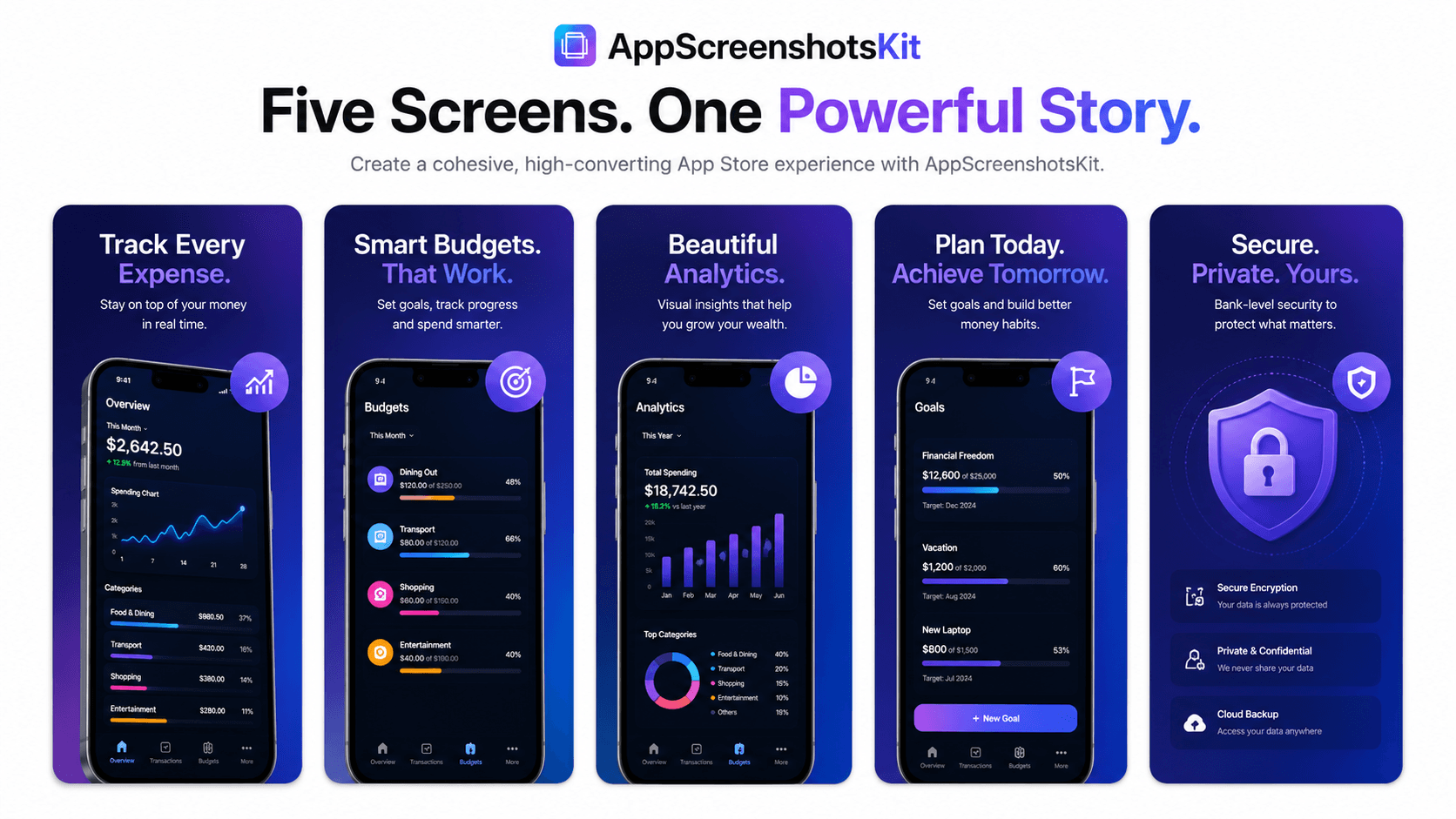
AppScreenshotsKit's multi-slide workflow makes creating a complete, visually consistent screenshot set as efficient as creating a single screenshot.
The Multi-Slide Strategy: Telling a Story Across 8 Screenshots
- Screenshot 1: Hero value proposition - the primary reason to download
- Screenshot 2: Core feature showcase - the most-used capability
- Screenshot 3: Problem solved - before/after or pain point addressed
- Screenshot 4: Social proof - reviews, ratings, user count
- Screenshot 5: Secondary feature - second most valuable capability
- Screenshot 6: Lifestyle outcome - emotional result of using the app
- Screenshot 7: Platform breadth - iOS, Android, iPad, Apple Watch shown together
- Screenshot 8: Final CTA - pricing, free trial, or unique differentiator
Creating a Consistent Set in AppScreenshotsKit
- Design Screenshot 1 completely - frame, background, font, headline
- Note your settings: gradient colors, font name, font size, text position
- Duplicate the canvas (coming soon) or re-apply the same settings for Screenshot 2
- Change only the screenshot and headline - keep everything else identical
- Repeat for all 8 screenshots in under 30 minutes
- Preview all 8 together - check visual consistency at a glance
- Export all - each in correct App Store dimensions as a ZIP file
Why Consistency Across the Set Matters
When a user swipes through your screenshots on the App Store, each image should feel like the next frame in the same video. Consistent device frames, consistent background style, consistent typography creates the perception of a polished, professional product team.
Inconsistency - different fonts, different backgrounds, different frame styles - creates cognitive friction that interrupts the user's journey toward download.
Pro Tip
he single most common screenshot set mistake is mixing frame styles. Don't use black iPhone for screenshots 1–3 and white iPhone for 4–6. Pick one frame, one color, and apply it consistently across all 8.
The Export Bundle: What You Get
- All screenshots in iPhone 6.7" (1290×2796 px) - required for new iPhone lineup
- All screenshots in iPhone 6.5" (1242×2688 px) - covers older iPhone 11 Pro Max users
- All screenshots in iPad 12.9" (2048×2732 px) - if your app supports iPadOS
- Feature graphic 1024×500 px - for Google Play
- All exported as PNG at full resolution, zero watermarks, zero compression
Conclusion
A complete, consistent 8-screenshot set is one of the highest-leverage investments you can make in your app's App Store performance. AppScreenshotsKit makes creating that set a systematic, repeatable workflow - not a creative ordeal.
Start with Screenshot 1. AppScreenshotsKit will help you build the rest.
Create your complete App Store screenshot set free - AppScreenshotsKit.com
Open Editor Free