Introduction
The gap between a screenshot and a converting App Store visual usually comes down to two things: a background that creates context and emotion, and a headline that states the benefit before the user has to think about it.
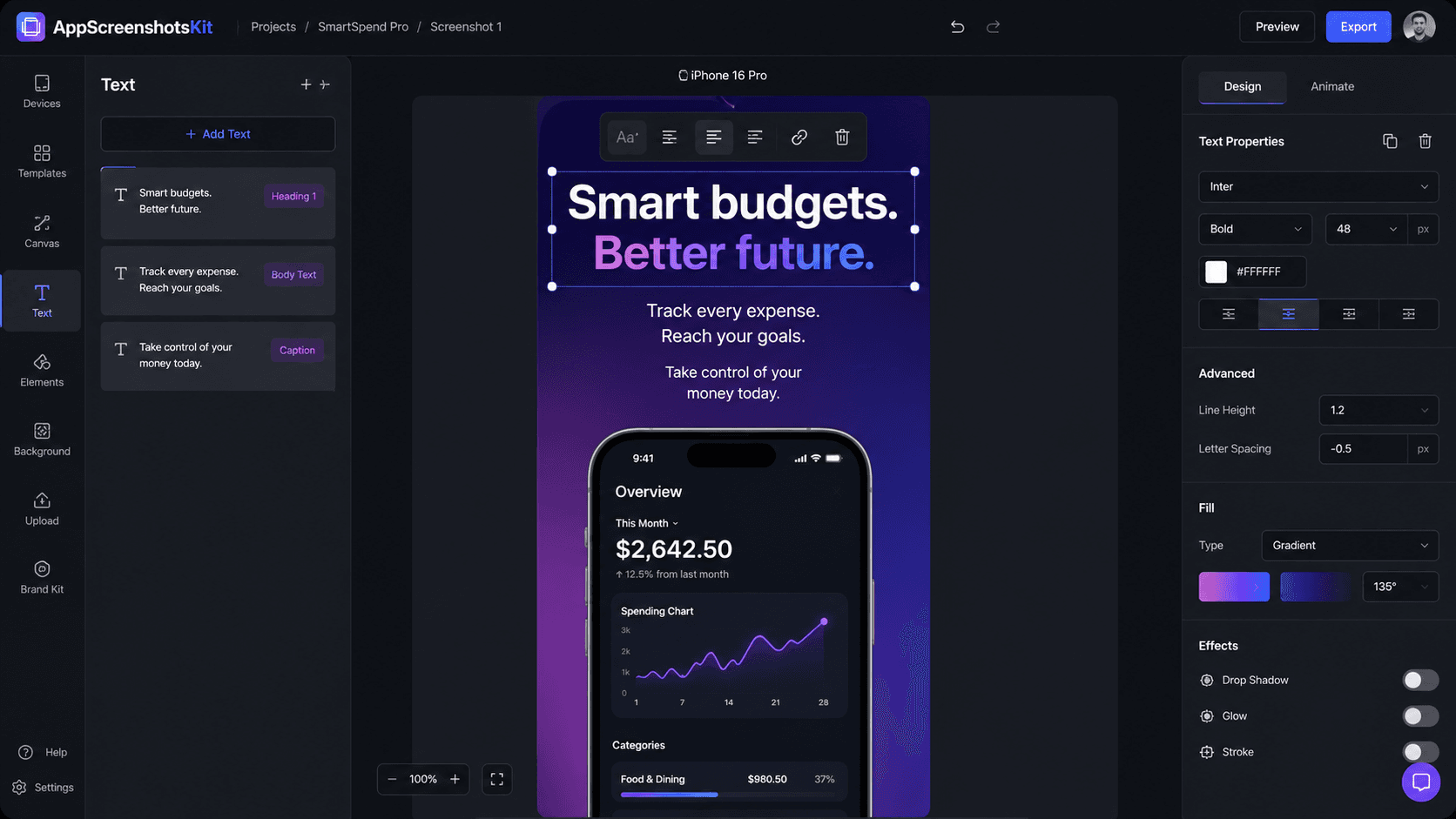
AppScreenshotsKit's text overlay and background system is designed to make both of these additions instant, intuitive, and professional - even for developers who've never touched a design tool.
Background Options: From Minimal to Dramatic
AppScreenshotsKit offers four background categories, each suited to different app types and aesthetics:
- Solid colors - clean, minimal; best for utility apps and developer tools
- Linear gradients - the most versatile; choose two colors and an angle
- Radial gradients - dramatic, spotlight effect; great for hero screenshots
- Patterns - subtle texture adds depth; best for lifestyle and consumer apps
- Custom image upload - use your own background photo or brand artwork
The Psychology of Background Color Choices
- Deep blue / navy - trust, reliability, professionalism (finance, health, productivity)
- Purple / indigo - creativity, premium, innovation (creator tools, AI apps)
- Green / teal - growth, wellness, freshness (health, fitness, sustainability)
- Dark / near-black - premium, power, focus (pro tools, analytics, developer)
- Warm orange / coral - energy, friendliness, fun (social, entertainment, gaming)
- White / light grey - clean, minimal, accessible (utilities, notes, reference apps)
Text Overlay System: Writing Headlines That Convert
AppScreenshotsKit's text tool supports any Google Font - over 1,400 typefaces available directly in the interface. But the font choice matters less than the copy itself.
- Lead with the outcome, not the feature: 'Sleep Better Tonight' vs. 'Sleep Tracking Feature'
- Use active verbs: 'Track', 'Build', 'Find', 'Achieve', 'Save'
- Keep it to 5 words or fewer for the main headline
- Add a subheadline for additional context (smaller size, lighter weight)
- Test your headline at thumbnail scale - 40px or smaller
Typography Combinations That Work
- Inter Bold (headline) + Inter Regular (subtext) - clean, modern, universal
- Playfair Display Bold + Lato Regular - premium, editorial feel
- Space Grotesk Bold + DM Sans Regular - tech-forward, startup aesthetic
- Bricolage Grotesque + Inter - distinctive, stands out in crowded category
- DM Serif Display + DM Sans - elegant, content-forward
- Sora Bold + Sora Regular - geometric, friendly, rounded
Live Preview: See Changes Instantly
Every change in AppScreenshotsKit - whether you're adjusting gradient colors, changing font size, or moving the text position - updates the canvas in real time. There's no 'apply' button, no rendering delay, no preview mode.
This live preview approach means you can iterate visually, trust your eye, and move fast. What you see is exactly what you export.
Export Confidence
The export from AppScreenshotsKit is pixel-identical to the live preview. What you see on screen is exactly what Apple and Google will display in your App Store listing - at 1x, 2x, and 3x resolution.
Conclusion
Text overlays and backgrounds transform raw screenshots into communication tools. They answer the user's implicit question - 'What does this do for me?' - before they even read your app description.
AppScreenshotsKit makes that transformation instant. Try it on your next screenshot and watch the difference a headline and a background make.
Add text overlays and backgrounds to your screenshots for free - AppScreenshotsKit.com
Open Editor Free