Introduction
The background you choose for your App Store screenshots communicates your app's personality before the user reads a single word. It's color psychology, brand positioning, and emotional priming - all happening in the 0.3 seconds before the user's conscious attention kicks in.
AppScreenshotsKit makes background exploration instant - cycle through dozens of options in seconds without re-uploading or re-designing anything.
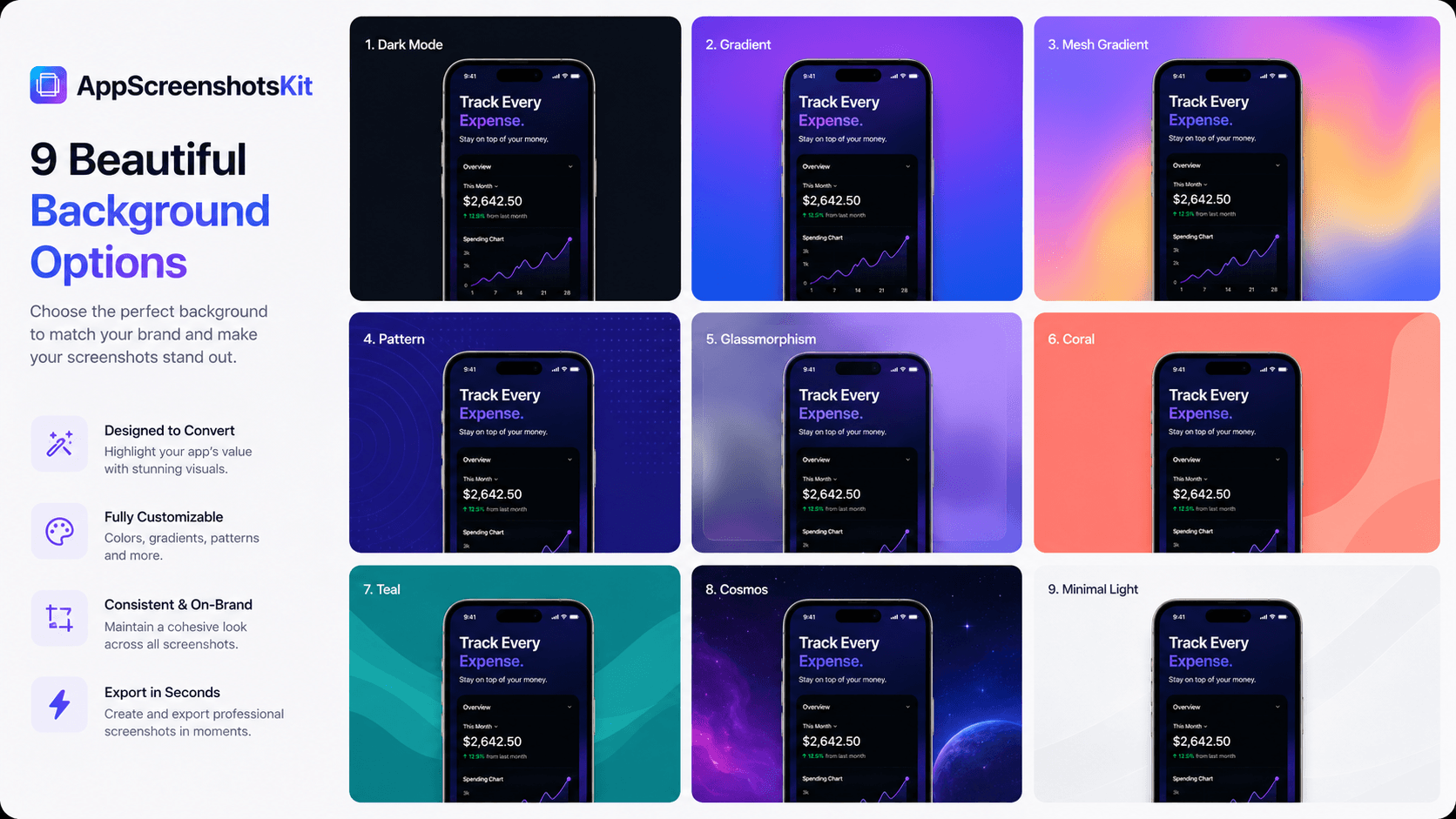
Full Background Library Overview
- Solid colors - 50+ curated colors across the full spectrum
- Linear gradients - 2-color, 3-color, and multi-stop gradients at any angle (0–360°)
- Radial gradients - center-glow and corner-glow variants
- Mesh gradients - organic, multi-point color blending
- Patterns - geometric, organic, dot grid, line grid, diagonal stripe
- Glass morphism - frosted glass effect with blur and tint
- Dark mode backgrounds - near-black with subtle color undertones
- Custom upload - use your own background image or brand artwork
Matching Background Style to App Category
- Finance & Banking: Deep navy or dark teal gradient - trust, stability, professionalism
- Health & Fitness: Energetic green or coral gradient - vitality, action, motivation
- Productivity: Clean dark or grey solid - focus, minimal, serious
- Social & Community: Warm purple or pink gradient - connection, warmth, belonging
- Gaming: High-contrast black or cosmic - power, immersion, excitement
- Developer Tools: Near-black with blue undertone - technical, premium, focused
- Lifestyle & Wellness: Soft lavender or sage - calm, approachable, self-care
- E-commerce & Shopping: Bold coral or amber - energy, conversion, desire
The 30-Second Background Exploration Workflow
- Upload your screenshot and apply a device frame
- Click the background panel - it opens instantly
- Click through 5 different gradient presets - each applies in under 1 second
- Try a pattern option - see if texture adds or distracts
- Try a solid color - sometimes minimal wins
- Screenshot your screen at each stage (Cmd+Shift+4 on Mac)
- Compare the 5 options - pick the one that feels right for your brand
Pro Tip
Use your app's primary brand color as the darker end of a gradient, and white or light grey as the lighter end. This creates brand-consistent backgrounds that feel native to your app's visual identity.
Background Trends in Top App Store Listings (2024)
- Dark gradients dominate in top-grossing apps - premium perception
- Gradient direction: top-left to bottom-right is the most common and most 'safe'
- Glass morphism is growing in lifestyle and creator apps
- Solid dark backgrounds are rising in utility and developer tools
- Mesh gradients are emerging in AI-powered apps
- Avoid pure white backgrounds - they disappear into the App Store UI
Conclusion
Your app's background is a design decision, not a default setting. AppScreenshotsKit gives you a full palette of professional options and the speed to explore them without friction.
The right background is 1–2 clicks away. Start exploring.
Explore 50+ background options for free - AppScreenshotsKit.com
Open Editor Free