Introduction
App Store visual trends evolve every year. What looked premium in 2022 can look dated in 2024. Keeping your screenshots current isn't just about aesthetics - it signals to users that your app is actively maintained, modern, and competitive.
AppScreenshotsKit's regularly updated design library keeps your visual options aligned with current App Store trends - without requiring you to hunt for new templates or update your toolchain.
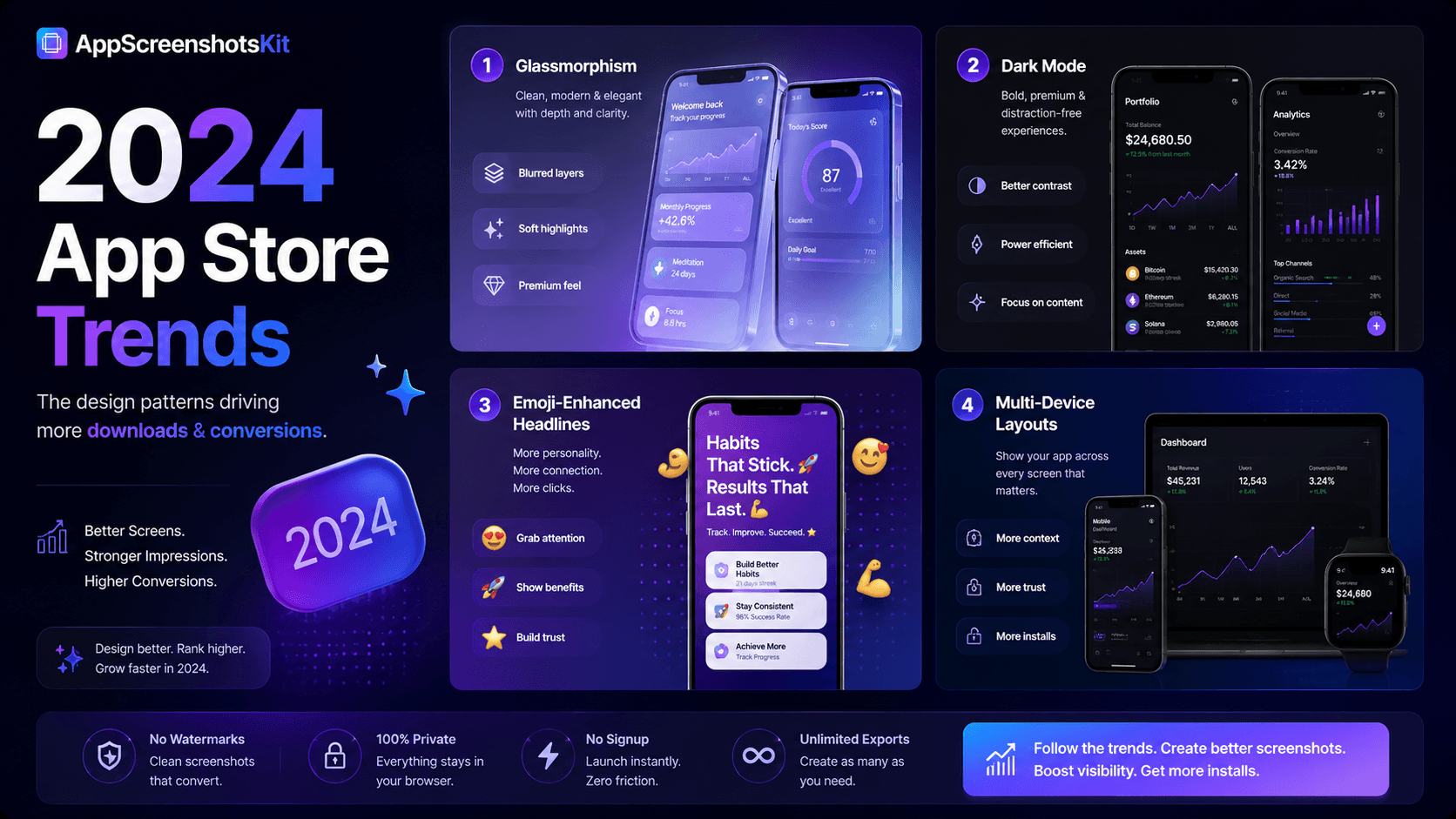
2024 App Store Screenshot Design Trends
- Dark mode dominance: 70%+ of top-grossing apps now use dark backgrounds for at least some screenshots
- Glass morphism: frosted glass panels overlaying gradients - premium, layered aesthetic
- Emoji-enhanced headlines: single emoji before or after the headline copy for personality and scan-ability
- Multi-device layouts: showing iPhone + iPad or iPhone + Apple Watch together in one screenshot
- Motion blur backgrounds: subtle directional blur on backgrounds creates dynamism in static images
- Bold, oversized typography: headlines taking up 30-40% of the screenshot canvas
- Minimalist device frames: clay frames over photo-realistic frames - cleaner, more design-forward
Trends That Are Fading (Avoid These)
- Pure white backgrounds - disappear into App Store's white UI, lose all visual impact
- Feature-led headlines - 'New Dashboard View' instead of 'See Everything at Once'
- Multiple fonts in one screenshot set - visual inconsistency reads as amateur
- Cluttered multi-element backgrounds - distracts from the UI being showcased
- Watermarked screenshots - signals free-tier use, undercuts perceived quality
- Unrealistically perfect UI states - empty states or obviously fake data erodes trust
How AppScreenshotsKit Keeps Up With Trends
- New gradient presets added monthly - current color trends always represented
- New device frames added with each major Apple/Google hardware release
- Glass morphism background option available now
- Clay frame library updated with latest device silhouettes
- New font pairings suggested based on current App Store leader analysis
- Community-contributed templates highlight what's working now
Platform-Specific Trend Notes for 2024
iOS App Store trends tend toward premium, editorial aesthetics - dark backgrounds, refined typography, restrained use of color. The influence of Apple's own marketing aesthetic is strong.
Google Play trends are slightly warmer and more playful - brighter colors, more lifestyle imagery, more personality in headline copy. Material Design 3's color system influences many top-performing Android app screenshots.
Both platforms reward visual consistency - a screenshot set that looks like it was designed by one person with a clear vision consistently outperforms sets that look assembled from different sources.
2024 Safe Formula
Dark gradient background (navy → purple or dark teal) + Natural Titanium or Black iPhone frame + Inter or Space Grotesk Bold headline in white + single emoji in headline = a screenshot set that looks current, premium, and professional in 2024.
Seasonal and Launch-Window Optimization
2024 also reinforces the value of seasonal screenshot updates:
- Q4 holiday season (Oct–Dec): warm tones, gift-focused headlines, festive emoji
- New Year (Jan): fresh start messaging, productivity and goal-setting headlines
- Spring launch season (Mar–May): lighter backgrounds, renewal-themed copy
- Summer (Jun–Aug): bright, energetic colors; lifestyle imagery backgrounds
- Back to School (Aug–Sep): productivity and organization themes
Conclusion
Staying current with App Store visual trends isn't vanity - it's a conversion optimization strategy. Users subconsciously associate modern visual design with a modern, well-maintained app. AppScreenshotsKit's regularly updated design library makes it easy to keep your screenshots in step with what's winning in 2024.
Refresh your screenshots. Stay current. Keep converting.
Create trend-forward App Store screenshots for free - AppScreenshotsKit.com
Open Editor Free