Introduction
Every great app deserves a great workspace to build its presence. The environment where you create your App Store visuals matters - not because creativity is fragile, but because having the right tools in the right setup makes the work faster, better, and more enjoyable.
AppScreenshotsKit fits naturally into any creative workspace - whether that's a home office, a coffee shop, or a shared studio. It needs nothing but a browser.
AppScreenshotsKit's Interface: Designed for Creative Flow
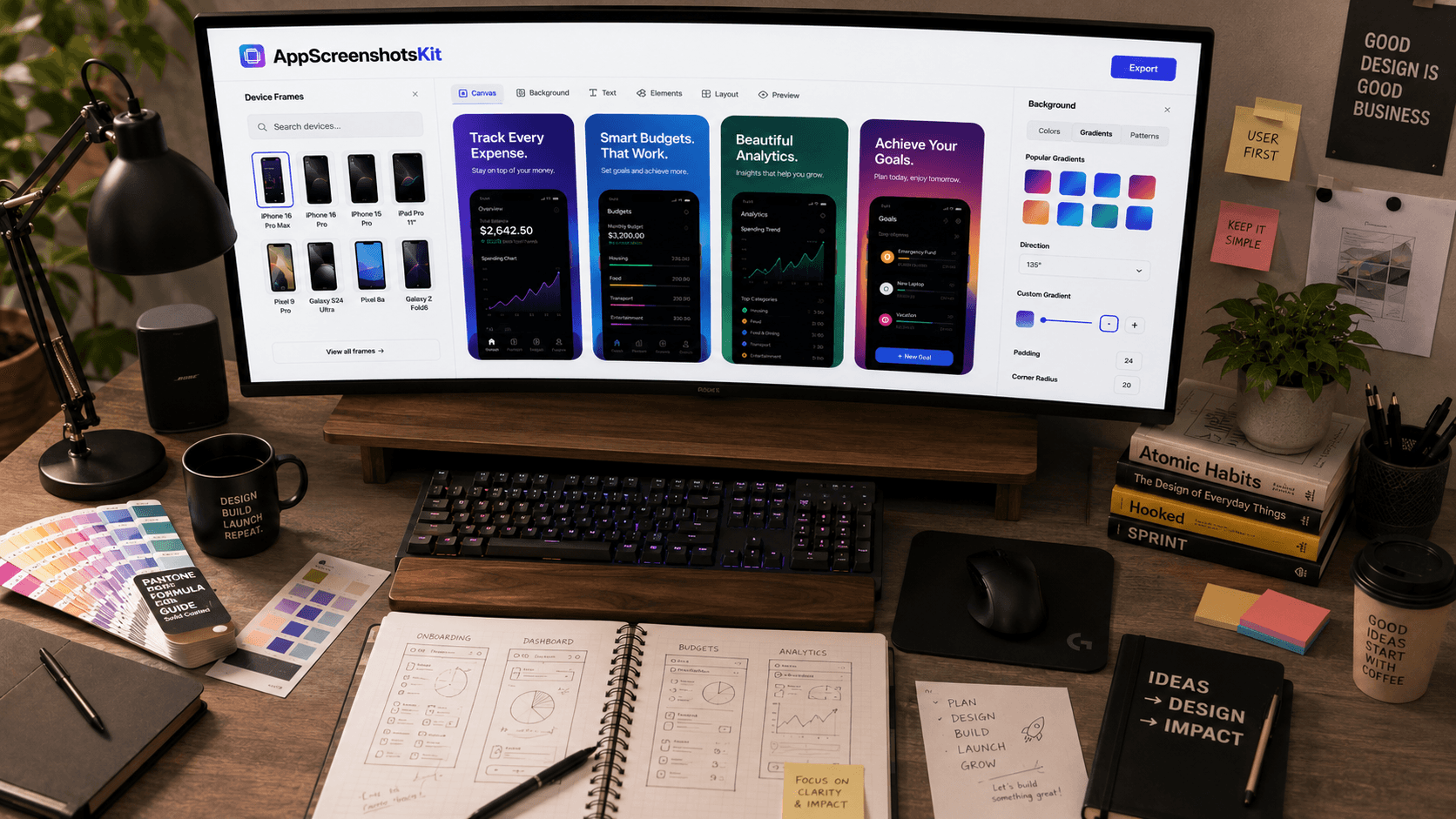
The best tools disappear into the work. AppScreenshotsKit's interface is intentionally minimal - a canvas on the left, controls on the right, export at the top. No dashboard maze, no settings rabbit hole, no feature discovery required.
Everything you need is visible from the moment you open it. Everything you don't need isn't there at all.
The Creative Workflow: From First Upload to Final Export
- Open AppScreenshotsKit in any browser - Chrome, Safari, Firefox, Edge
- Drag your raw screenshots directly onto the canvas
- Browse device frames - scroll through iPhone, Android, iPad options
- Click a frame - it instantly wraps your screenshot
- Open background panel - choose from gradients, solids, patterns
- Click the text tool - add your headline with live preview
- Adjust layout - single, dual, triple, or panoramic
- Hit Export - all sizes download as a ZIP in seconds
Assets AppScreenshotsKit Generates
- iPhone screenshots - 6.7", 6.5", 5.5" variants
- iPad screenshots - 12.9" and 11" variants
- Android phone screenshots - all Play Store dimensions
- Android tablet screenshots
- Feature graphic (Google Play) - 1024×500 px
- Social media variants - Instagram, Twitter, LinkedIn sizes
Integrating AppScreenshotsKit Into Your Creative Stack
AppScreenshotsKit doesn't replace your existing tools - it fills the specific gap between raw simulator screenshots and publication-ready App Store assets. Use Figma for UI design, AppScreenshotsKit for App Store asset generation, and Canva or Adobe Express for broader marketing materials.
The Zero-Cost Creative Stack
Figma (free tier) → Xcode Simulator (free) → AppScreenshotsKit (free) → App Store Connect (free). A complete app design-to-launch visual workflow at zero cost.
Conclusion
The workspace that builds great apps deserves great tools. AppScreenshotsKit is one of the few tools in a developer's creative stack that costs nothing, requires nothing, and delivers professional results every time.
Set it up in your workspace today. It'll be the fastest tool onboarding you've ever done - because there's no onboarding.
Add AppScreenshotsKit to your creative stack - free forever - AppScreenshotsKit.com
Open Editor Free