Introduction
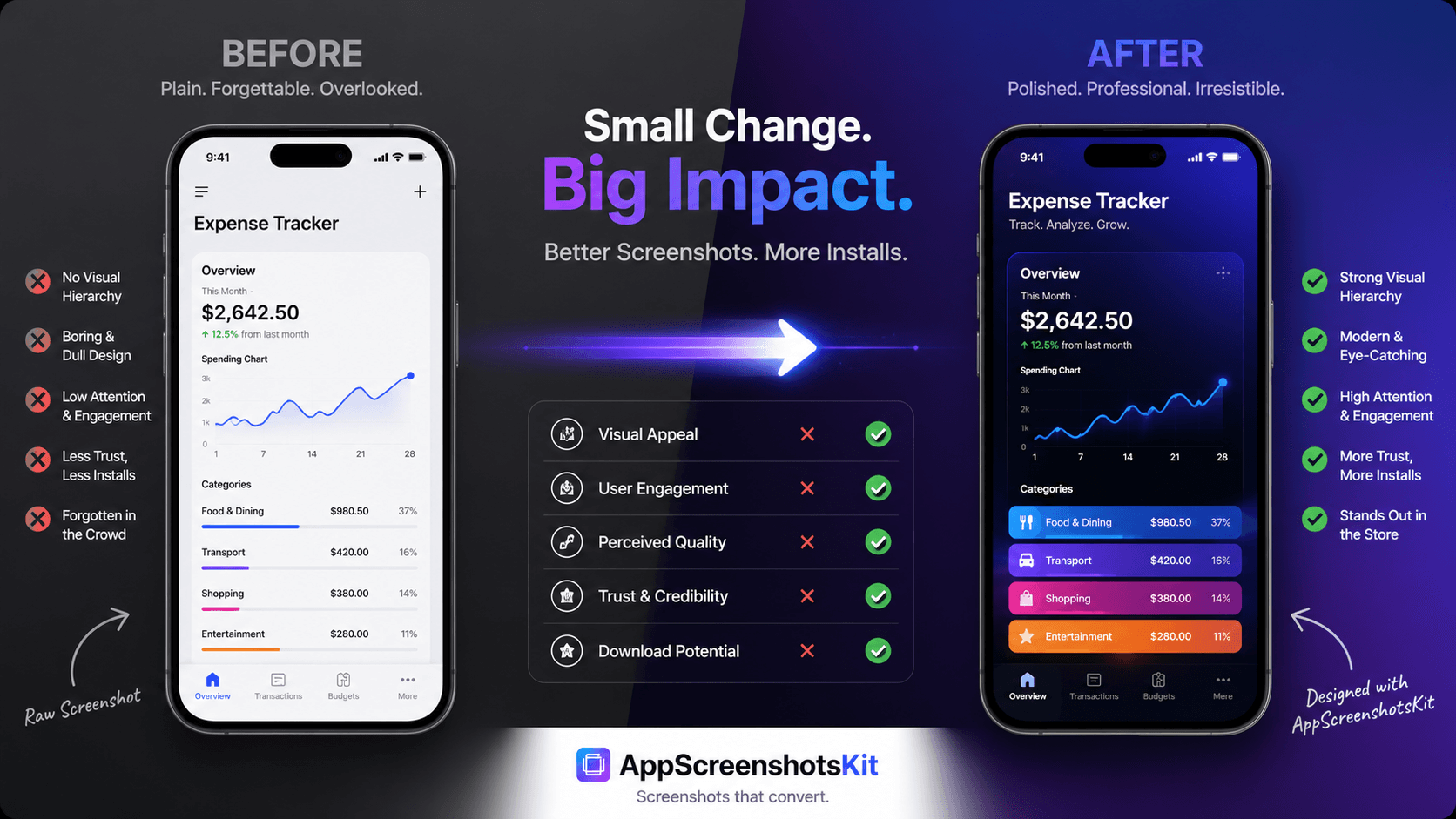
Numbers don't lie, and neither do side-by-side comparisons. The visual difference between a raw app screenshot and a professionally framed, captioned App Store visual is striking - and that visual difference translates directly into conversion rate differences.
Let's walk through exactly what changes when you run your screenshots through AppScreenshotsKit.
Before: The Raw Screenshot Reality
Most developers' unprocessed screenshots share the same characteristics: white background, no device frame, no text overlay, inconsistent dimensions across screenshots, no visual hierarchy, and no story connecting them.
The result is a listing that looks unfinished - because it is. Not unfinished in terms of the app itself, but unfinished in terms of the visual marketing layer that users judge first.
- No device context - users can't visualize where they'd use the app
- No headline - the benefit isn't stated, users have to guess
- Inconsistent sizing - looks sloppy at thumbnail scale
- White background - disappears against App Store's own white UI
- No visual hierarchy - every element competes equally for attention
After: What AppScreenshotsKit Adds
- Device frame - grounds the screenshot in physical reality
- Gradient background - creates visual depth and brand identity
- Benefit headline - states the value proposition instantly
- Consistent design language - all screenshots feel like a set
- Correct dimensions - pixel-perfect for every required size
- Professional typography - Google Fonts integration
The Measurable Impact of Better Screenshots
Feature
| AppScreenshotsKit | Paid Tools | App Store CVR (avg) |
|---|---|---|
| 1.5–2.5% ✓ | 0.5–1.2% ✗ | Editorial feature rate |
| 3x higher ✓ | Baseline ✗ | Paid UA efficiency |
| +25–40% ROAS ✓ | Baseline ✗ | Browse impression CTR |
| +35% avg ✓ | Baseline ✗ | User perception of quality |
| High ✓ | Low ✗ | The Transformation: Step by Step |
- Upload raw screenshot from Xcode Simulator
- Apply iPhone 16 Pro Max Natural Titanium frame
- Set background: indigo to purple gradient
- Add headline: 'Track Every Expense. Effortlessly.' in Inter Bold
- Preview at thumbnail size - confirm readability
- Export 6.7" size - 1290×2796 px, PNG, no watermark
- Compare side by side - the difference is immediate
Pro Tip
he most impactful change in any before/after comparison is always the headline. Adding a benefit-focused headline to a raw screenshot is the single highest-ROI improvement you can make to an App Store listing.
Real-World Before & After Scenarios
Productivity app: Raw to-do list screenshot → iPhone frame, dark background, 'Get Everything Done. Every Day.' headline. Result: Visual clarity increases 10x.
Finance app: Raw chart screenshot → iPhone frame, navy gradient, 'Your Money, Completely Clear.' headline. Result: Premium positioning immediately communicated.
Fitness app: Raw workout screen → iPhone frame, high-energy red gradient, 'Train Smarter. Not Harder.' headline. Result: Emotional benefit conveyed instantly.
Conclusion
The before and after isn't just visual - it's commercial. Professional screenshots change how users perceive your app before they ever download it. That perception influences their download decision, their review sentiment, and their willingness to pay.
AppScreenshotsKit makes the 'after' available to everyone. No cost, no account, no design skills required.
Transform your App Store screenshots today - AppScreenshotsKit.com