Introduction
The App Store screenshot tool market is crowded. AppScreens, AppLaunchpad, Screenshots.pro, Previewed, Mockuuups Studio, Hotpot.ai, Shots.so - each offers something different, at different price points, with different feature sets.
Where does AppScreenshotsKit fit in this landscape? And more importantly: for the majority of indie developers and small app teams, which tool actually serves them best?
The Competitive Landscape at a Glance
- AppScreens: Strong iOS focus, panoramic screenshots, auto App Store upload (Pro). $15/month.
- AppLaunchpad: 200+ templates, App Store Tracker, icon generator. Free + paid.
- Screenshots.pro: REST API, 3D perspectives, CI/CD integration. $19/month.
- Previewed: 3D animated mockups, promo video creation. Free lite + $19/month Pro.
- Mockuuups Studio: 5,000+ mockups, Figma plugin, desktop app. $16/month.
- Hotpot.ai: Broad AI creative platform, $1/graphic model.
- Shots.so: Animations, magic backgrounds, social media presets. Free + paid.
Detailed Feature Comparison
Feature
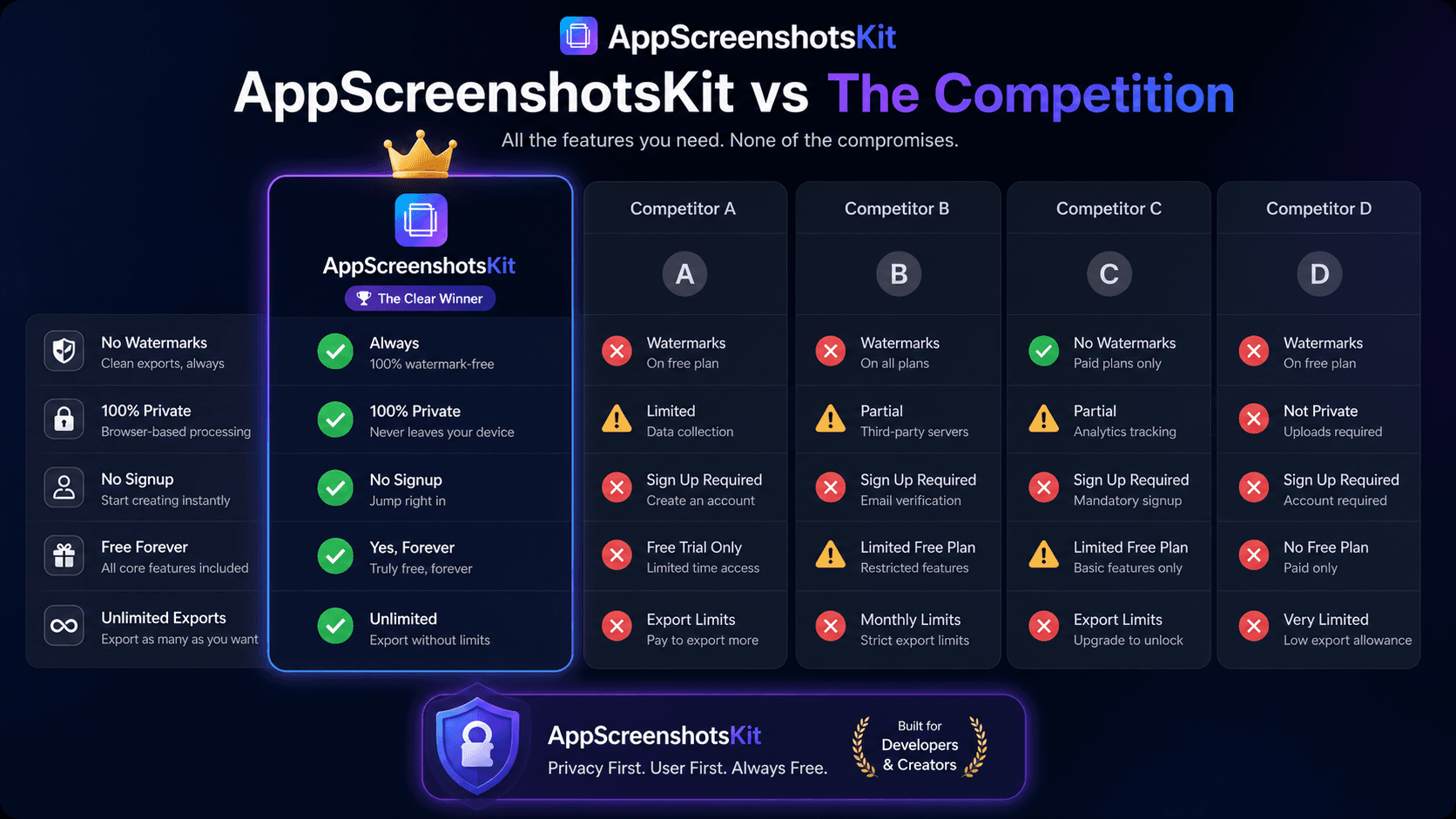
| AppScreenshotsKit | Paid Tools | Price |
|---|---|---|
| Free ✓ | $9–$49/month ✗ | No Account |
| Yes ✓ | Account required ✗ | No Watermarks |
| All exports ✓ | Paid tier only ✗ | Privacy (client-side) |
| 100% ✓ | Server upload ✗ | Device frames |
| 30+ free ✓ | Limited free tier ✗ | Export sizes |
| All included ✓ | Pro tier ✗ | 3D animations |
| No (coming) ~ | Yes (paid) ✓ | REST API |
| No ~ | Yes (paid) ✓ | Auto localization |
| Manual ~ | Auto (paid) ✓ | Who Should Use AppScreenshotsKit |
- Indie developers launching their first app - zero budget, maximum need
- Freelancers building apps for clients - no recurring tool costs to pass through
- Small teams without a dedicated designer on staff
- Developers who need to iterate screenshots frequently based on A/B test data
- Privacy-conscious developers working on unreleased or NDA-protected apps
- Developers who object to watermarked free tiers as a matter of principle
Who Might Need a Paid Tool Instead
- Teams needing automated localization across 80+ languages at launch (AppScreens Pro)
- Apps requiring animated 3D device video for social media ads (Previewed Pro)
- Developers with CI/CD pipelines who need API screenshot automation (Screenshots.pro)
- Studios managing 50+ apps who need a full mockup library (Mockuuups Studio)
- Broad AI creative needs beyond screenshots (Hotpot.ai)
The Honest Verdict
For the core use case - creating professional, watermark-free App Store screenshots quickly - AppScreenshotsKit is the best available free option. It outperforms competitors' free tiers on privacy, watermarks, device frame selection, and export flexibility.
For highly specific advanced needs (API automation, 3D video, mass localization), paid tools add genuine value. But those needs apply to a minority of developers - and AppScreenshotsKit serves the majority better than any competitor.
The Bottom Line
AppScreenshotsKit vs. competition: If you need professional screenshots now, for free, with full privacy and zero watermarks - AppScreenshotsKit wins. If you need animated 3D videos or CI/CD API automation - a paid tool may be worth the cost.
Conclusion
The competition is strong. The paid tools are polished. And AppScreenshotsKit wins on the metrics that matter most to the majority of its users: price, privacy, and the absence of watermarks.
Choose the tool that fits your actual needs. For most developers, that's AppScreenshotsKit.
Judge for yourself - try AppScreenshotsKit free and compare - AppScreenshotsKit.com
Open Editor Free